

Programming a laser cutting head on a CNC machine is a crucial skill that can significantly enhance the efficiency and precision of your manufacturing processes. As a Laser Cutting Head [/cnc-machine-parts/laser-machine-parts/laser-cutting-head.html] supplier, I have extensive experience and knowledge in this area. In this blog, I'll share detailed steps on how to program a laser cutting head on a CNC machine, along with some practical tips and considerations.
Understanding the Basics of Laser Cutting and CNC Machines
Before delving into the programming process, it's essential to have a solid understanding of the basic principles of laser cutting and CNC (Computer Numerical Control) machines. Laser cutting is a technology that uses a high - power laser to cut materials. The laser beam is directed by the cutting head, which is controlled by a CNC system. The CNC system reads a set of instructions to precisely move the cutting head in the X, Y, and sometimes Z axes, enabling complex and accurate cutting patterns.
Pre - programming Preparations
1. Selecting the Right Laser Cutting Head
The choice of [Laser Cutting Head] [/cnc-machine-parts/laser-machine-parts/laser-cutting-head.html] depends on various factors such as the type of material to be cut, the thickness of the material, and the required cutting speed and precision. Different laser cutting heads have different power ratings, focal lengths, and beam qualities. For example, cutting thin metals may require a different cutting head compared to cutting thick plastics.
2. Gathering Equipment and Materials
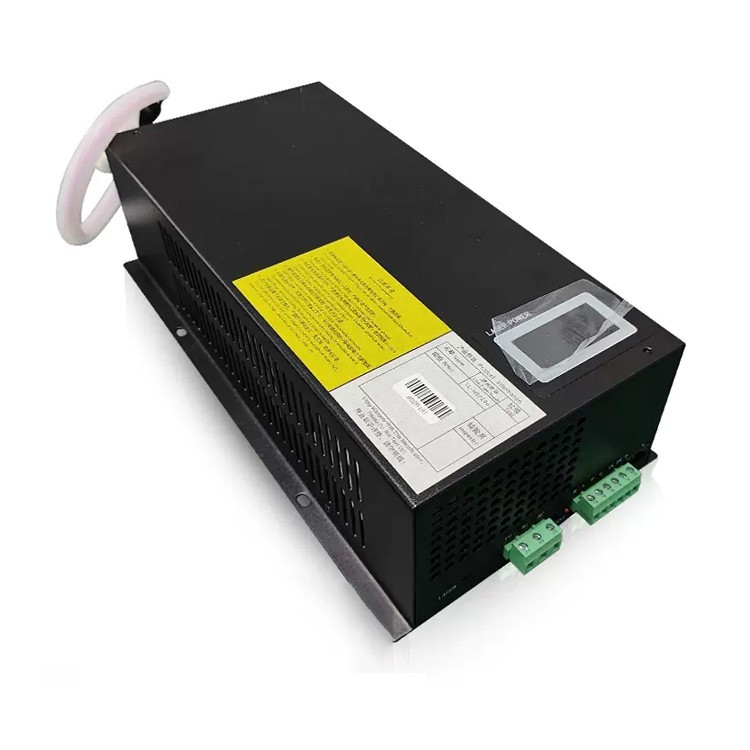
In addition to the laser cutting head, you'll need other components such as the [Laser Tube] [/cnc-machine-parts/laser-machine-parts/laser-tube.html] and [Laser Power Supply] [/cnc-machine-parts/laser-machine-parts/laser-power-supply.html]. Ensure that all these components are properly installed and functioning. You also need the material to be cut, safety equipment (such as goggles), and the necessary software for programming.
3. Familiarizing with the CNC Software
Most CNC machines come with dedicated software for programming. Spend time learning the interface, functions, and commands of the software. Some common software features include the ability to import CAD (Computer - Aided Design) files, set cutting parameters, and simulate the cutting process.
Programming Steps
1. Designing the Cutting Pattern
The first step in programming is to create or import the cutting pattern. You can use CAD software to design the pattern according to your requirements. The pattern can be simple shapes like circles and rectangles or complex geometries. Once the design is complete, save it in a format that can be imported into the CNC software, such as DXF or SVG.
2. Importing the Design into the CNC Software
Open the CNC software and use the import function to bring in the CAD design. The software will display the design on the screen, allowing you to preview and make any necessary adjustments.
3. Setting the Cutting Parameters
The cutting parameters are crucial for achieving the desired cutting quality and efficiency. These parameters include:
- Laser Power: Adjust the laser power based on the material type and thickness. Higher power is usually required for thicker materials.
- Cutting Speed: The speed at which the cutting head moves affects the cutting quality and efficiency. Faster speeds may reduce the cutting time but can also lead to incomplete cuts or rough edges.
- Frequency: The frequency of the laser pulses can impact the cutting process. Different materials may require different frequencies for optimal results.
- Focus Position: Set the correct focus position of the laser beam. The focus position determines the spot size of the laser on the material surface, which affects the cutting precision.
4. Defining the Toolpath
The toolpath is the path that the cutting head will follow during the cutting process. The CNC software allows you to define the toolpath based on the imported design. You can choose different cutting strategies, such as contour cutting, raster cutting, or vector cutting, depending on your requirements.
5. Simulating the Cutting Process
Before starting the actual cutting, it's a good practice to simulate the cutting process using the CNC software. The simulation will show you how the cutting head will move and whether there are any potential issues, such as collisions or incorrect cutting paths. This step can help you identify and fix problems early, saving time and materials.
6. Transferring the Program to the CNC Machine
Once you are satisfied with the simulation results, transfer the program to the CNC machine. This can usually be done via a USB drive or a network connection. Make sure the CNC machine is properly connected and configured to receive the program.
Operating the CNC Machine
1. Loading the Material
Place the material to be cut on the cutting table of the CNC machine. Make sure the material is properly aligned and secured to prevent movement during the cutting process.

2. Starting the Cutting Process
After loading the material, start the CNC machine and initiate the cutting program. Monitor the cutting process closely to ensure everything is going smoothly. If any issues arise, such as abnormal noises or smoke, stop the machine immediately and troubleshoot the problem.
3. Post - cutting Inspection
Once the cutting process is complete, remove the cut parts from the machine and inspect them for quality. Check for any rough edges, incomplete cuts, or other defects. If necessary, make adjustments to the cutting parameters or the program for future cuts.
Tips and Considerations
- Regular Maintenance: Keep the laser cutting head, [Laser Tube] [/cnc-machine-parts/laser-machine-parts/laser-tube.html], and [Laser Power Supply] [/cnc-machine-parts/laser-machine-parts/laser-power-supply.html] well - maintained. Clean the lenses regularly to ensure optimal laser beam quality.
- Safety First: Always wear appropriate safety equipment, such as goggles, when operating the laser cutting machine. Follow all safety procedures to prevent accidents.
- Testing on Scrap Materials: Before cutting valuable materials, test the cutting program on scrap materials of the same type and thickness. This will help you fine - tune the cutting parameters and ensure a successful cut.
Conclusion
Programming a laser cutting head on a CNC machine requires a combination of technical knowledge, practical skills, and attention to detail. By following the steps outlined in this blog, you can effectively program your laser cutting head and achieve high - quality cutting results. As a [Laser Cutting Head] [/cnc-machine-parts/laser-machine-parts/laser-cutting-head.html] supplier, we are committed to providing you with high - quality products and technical support. If you are interested in purchasing our laser cutting heads or need further assistance with programming and operation, please don't hesitate to contact us for procurement and negotiation.
References
- "Laser Cutting Technology Handbook", published by a leading industry publisher.
- Manufacturer's manuals for CNC machines and laser cutting heads.


